
Open ChatGPT, type the question a homeowner in your area would type, and read what comes back about you. A lot of your customers are already doing this. Pew Research Center found that 34% of U.S. adults have used ChatGPT, including 58% of adults under 30. Some of what it says about your business will be right. Some may be outdated, and some may be a competitor’s name where yours should be.
So what does ChatGPT say about my business, and how do I fix it? Run five prompts a real customer would type, write down every answer, trace each wrong detail back to the page it came from, and fix that page. Then ask again a few weeks later. Here is the owner’s version of that process, the same one we run for our clients every month.
There is no ChatGPT business listing to log into and edit
There’s no business profile inside ChatGPT that you can claim and edit the way you edit your Google Business Profile. Its answers come from what it learned in training and, when it searches the web, from the pages it finds. OpenAI’s help center says ChatGPT search uses third-party search providers along with content from its partners, and that it can use your location to find local results like nearby business listings.
That means the fix for a wrong answer is almost never inside ChatGPT. The fix is on the websites and listings ChatGPT reads. If your old address is still sitting on a directory, or your site still lists a service you dropped two years ago, those details can show up in an answer.
ChatGPT also tells people, right under the chat box, that it can make mistakes. Treat every answer as a snapshot, not a verdict. The goal is to make the accurate version of your business the easiest one for it to find.
Run five prompts a homeowner would actually type
The right test uses the words your customers use, not the words you’d use to describe yourself. Before you start, open a temporary chat or a logged-out browser window so your own past conversations don’t shape the answers. If ChatGPT doesn’t search on its own, ask it to search the web. Then run these five prompts, swapping in your trade, town and business name:
- “Who is the best [trade] in [town]?”
- “I need a [trade] open on Sunday near [neighborhood]. Who should I call?”
- “Is [your business name] a good company?”
- “Does [your business name] do [a specific service you offer]?”
- “What are the hours and phone number for [your business name]?”
The first two show whether you get named at all when a customer asks for help. The last three show what ChatGPT believes about you once someone already knows your name. Both halves matter, and they usually fail for different reasons.
If you have time, run the same prompts in Google’s AI answers too. Different tools pull from different places, and comparing them tells you whether a problem is everywhere or in one spot.
Write down what it gets right, wrong and missing
Keep a simple record of each answer, because memory is a bad tool for this. A notes file or a spreadsheet works fine. For every prompt, write down four things.
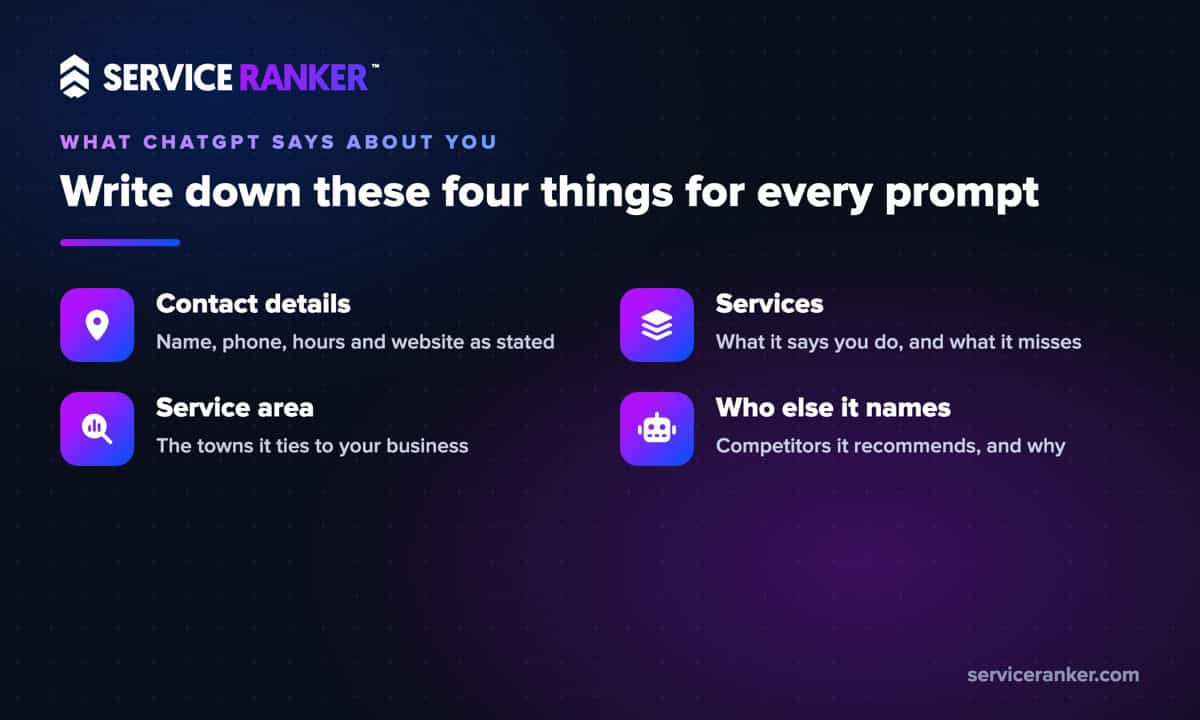
- Contact details. Your business name, phone number, hours and website, exactly as stated.
- Services. What it says you do, what it leaves out, and anything you don’t offer.
- Service area. The towns it connects you to, and the ones it misses.
- Who else it names. The competitors it recommends, and the reasons it gives.
Also note the links. When ChatGPT searches the web, its answers come with links to the sources it used. Those links are the most useful part of the whole exercise, because they tell you where each claim came from. Save the date with every entry so you can compare next month.
Trace each wrong answer back to the website it came from
A wrong answer almost always has a source, and finding it is the whole job. Open each link ChatGPT cited next to the bad detail. If it cited nothing, search the wrong detail yourself, like the old phone number in quotes, and see which pages still carry it.
In the AI answer checks we run for clients, the cause is rarely mysterious. It’s usually something the business forgot about: an old directory listing with last year’s hours, a service page for work they stopped doing, a profile that never got the new phone number, or a news story about a different company with a similar name. The wrong answer is usually an old fact that nobody cleaned up.
Sort what you find into two piles. The first is sources you control, like your website and your Google Business Profile. The second is sources you can only request changes on, like directories, review sites and articles. Start with the first pile, because those fixes are fast and fully in your hands.
Fix the website and listings you control first
Your own website and Business Profile should be the clearest, most complete description of your business anywhere online. Put your services, towns, hours and phone number in plain words on your site, and make every service you offer its own page instead of a line in a list. Delete or update pages for work you no longer do. That content is what search engines and AI tools have to work with.
Then match your Google Business Profile to the site. Google says businesses with complete and accurate info are more likely to show up in local search results, and the same accurate details help every other tool that reads the web. Work through the major directories next and make the name, address, phone and hours match everywhere.
One technical check is worth five minutes. OpenAI’s crawler documentation says sites that block its search crawler, OAI-SearchBot, will not be shown in ChatGPT search answers. Ask whoever manages your website to confirm your robots.txt file allows it. For the page details AI tools read best, see the website details that decide whether AI can read your business. If you’d rather hand the whole job off, that’s what our help getting your business into AI answers covers.
Give search tools time, then ask again
Corrections don’t show up the next morning. OpenAI says a robots.txt change takes about 24 hours to register for search, but updated pages still have to be found again by the search providers ChatGPT relies on, and answers based on training data can lag much longer. Give it a few weeks before you judge.
Then run the exact same five prompts again, word for word, and compare them with your notes. If an answer is still wrong, use the thumbs-down button to flag it. That sends feedback to OpenAI, though it isn’t a promise of a fix. The lasting fix is still the source.
Make this a monthly habit, not a one-time project. It takes about 30 minutes once the prompts are written. If you’re deciding whether to keep doing it yourself, we laid out the tradeoffs in what an owner can handle in-house and what needs help.
Reviews and other things arguing with ChatGPT won’t fix
Telling ChatGPT “that’s wrong, my hours are 7 to 6” in your own chat may change the next answer you see, but it doesn’t change the answer your customers get. They’re asking from their own accounts, and ChatGPT is reading the same web pages it read before.
The same goes for reviews. If ChatGPT says customers complain about slow callbacks, that summary most likely came from real reviews somewhere. You can’t talk an AI out of a pattern in your reviews, but you can change the pattern. Answer the phone faster, ask happy customers for reviews, and reply to the critical ones.
And if it keeps naming a competitor instead of you, look at what that competitor has that you don’t: more service pages, more towns covered, more recent reviews. That’s the work that improves your AI search visibility over time. If you want a team that runs these checks every month and fixes what they find, talk to us about AI search for your business. You run the jobs, we keep the calls coming.