
It is 6 a.m. on the first hard frost of the year. Furnaces that sat quiet since spring kick on, a few of them don’t, and homeowners start searching for heater repair before the coffee is done. If your Google Ads for HVAC are set up the way most are, the Google Ads budget for that morning was sized for a mild week in October. By 10 a.m. it can be gone, and your ads stop showing right when the no-heat calls are stacking up.
Google lets a campaign spend up to twice its average daily budget on a busy day, and not a dollar more. When a cold snap squeezes a week of demand into a few hours, that limit shows up early. Below is how both spending limits work and the settings an HVAC business can change before the forecast turns.
Why HVAC Google Ads go dark on the coldest mornings
Every Google Ads campaign has a daily spending limit, and the first cold morning is when many HVAC campaigns hit it. Google’s help center says that for most campaigns you will never pay more than two times your average daily budget on a given day, or 30.4 times it in a month. Google spends more on days it expects more clicks. That helps on a normal week. On a freeze morning, the extra room runs out.
On a mild day, HVAC searches trickle in from morning to night. On the first freeze, a big share of them land in the first few hours after people wake up to a cold house. The budget doesn’t get a whole day. It gets one rush.
In the HVAC accounts we manage, the first two or three cold mornings of the season are when campaigns are most likely to reach their daily limit before lunch. The ads didn’t break. The budget was built for a different day. Say your average daily budget is $50. On that morning the campaign can spend up to $100, and once it does, your ads can sit out the rest of the day while a competitor with more room keeps taking the calls.
The monthly limit is the part most owners miss
The second limit is monthly, and it means a big cold week gets paid back later. Google’s spending limits page says that by the end of the month, the amount you spent on average every day will match your average daily budget. If a three-day freeze in early December spends at double the normal rate, the campaign has less room left when the next cold front arrives two weeks later.
The fix is in the same help pages. When you raise a budget, the daily spending limit for that day is based on the highest budget you set, and the rest of the month is capped at the new budget times the days left. A budget raised at 7 a.m. on a cold morning works that same morning. A budget raised the next afternoon doesn’t get the morning back.
So the decision belongs on the calendar. Decide before the cold arrives whether you want more calls on freeze days, and how much you’re willing to spend for them. Raise the budget for those days, then bring it back down when temperatures recover. Waiting until the ads are gone means the decision got made for you.
Give no-heat repair its own budget, keywords and ad copy
No-heat repair should have its own campaign and budget. Most HVAC companies run one budget for every heating search: tune-ups, new furnace quotes, thermostat questions and emergency repair. On a cold morning they all spike at once and draw from one pot. Your emergency calls end up competing with tune-up clicks for the same dollars.
Put no-heat and furnace repair searches in their own campaign with their own budget, written in the words your customers use, like no heat, furnace not working, heater repair and heat pump blowing cold air. Keep tune-ups, maintenance plans and replacement quotes in a separate campaign. If the install campaign hits its limit at 10 a.m., the HVAC repair campaign keeps running.
Be careful with shared budgets. Google’s shared budgets let unused money flow to campaigns that are capped by budget. On a freeze morning, that pool can also let a busy install campaign spend money you meant for repair. A separate budget keeps the priority clear.
Then add negative keywords for searches you’ll never take, like DIY fixes, parts and HVAC job listings, and write ad copy that says what a cold homeowner wants to hear: same-day heating repair if you can deliver it, a real person answering, and the towns you cover. That’s the same thinking behind how we run marketing for HVAC companies: put the money on the calls that pay and cut the clicks that don’t.
Write the cold-snap plan before the forecast turns
A cold-snap plan is four decisions made in October instead of at 6 a.m. in December. When we set up heating season with an HVAC owner, we agree on these ahead of time so nobody is guessing when the forecast drops.
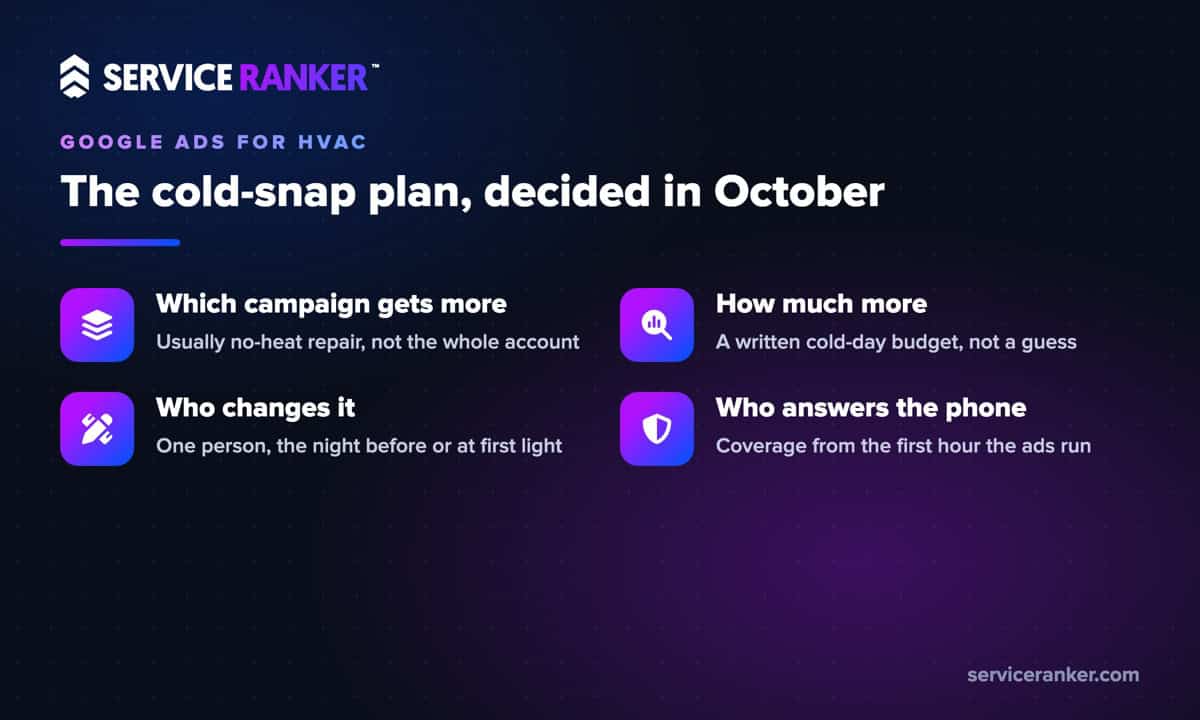
- Which campaign gets more money. Usually the no-heat repair campaign, not the whole account.
- How much more. A specific cold-day budget, written down, so the raise isn’t a guess.
- Who changes it and when. One person, the evening before the freeze or first thing that morning.
- Who answers the phone. Extra coverage from the first hour the ads run.
If your campaign uses Target CPA or Target ROAS bidding, Google also offers seasonality adjustments, which tell automated bidding to expect a short jump in conversion rate. Google says they work best for events of 1 to 7 days and should only be used for major changes, since Smart Bidding already accounts for normal seasons. A sharp three-day freeze can qualify. A slow slide into winter usually doesn’t.
In November and December, watch the 10-day forecast like the schedule board. The first night that drops well below normal for your area is the night to start.
Run ads in the hours someone answers the phone
A cold-morning click is only worth something if a person answers the call. Google’s ad scheduling lets you choose the hours and days your ads run and raise or lower bids by time of day. Match your ads to your phone coverage, not the other way around.
If your HVAC office opens at 8 but the ads start at 5 a.m., you’re paying for the most urgent call of the day and sending it to voicemail. A homeowner with no heat rarely leaves a message, in our experience. They call the next company on the page. Either cover the phones from the first hour, with an answering service or an on-call tech, or start the ads when someone can talk.
Raising bids at 6 a.m. only helps if your phone coverage starts at 6 a.m. too.
Where Local Services Ads fit when it turns cold
Local Services Ads, the pay-per-lead ads with the Google Verified badge at the top of the page, spend from a budget too, so the same cold-day planning applies. Google is moving Local Services Ads into Google Ads as a Performance Max campaign with pay-per-lead goals, with the same placements on Search and Maps. That puts the pay-per-lead budget in the same Google Ads account as your search campaigns.
If you run both, decide which one carries the first cold morning and don’t let one quietly starve the other. For the details of the switch, see what changes as Local Services Ads move into Google Ads.
Check search terms and conversion tracking after a cold snap
The week after a cold snap, find out whether the budget or the demand ran out first. Google’s impression share numbers show how many of the eligible impressions your ads got, and whether more budget or a higher bid would have reached more people. If you lost a big share on the freeze days, the budget was the limit, not the market.
- Search terms. Which searches spent money, and which tune-up or DIY clicks slipped through.
- Calls. How many came in, how many your team answered, and how many became real heating jobs.
- Cost per real call. On freeze days compared with a normal week.
If you can’t answer the second question, the problem is conversion tracking, not budget. Every call should trace back to the campaign and keyword behind it. We covered that in why Google Ads get clicks but not calls.
The first cold morning is predictable even if the date isn’t. Set the budgets, the hours and the plan now, and your ads will still be running when the no-heat calls come in. If you want a second set of eyes on your Google Ads before heating season, talk to us about your HVAC company. You run the jobs, we keep the calls coming.