
You have a 4.9 rating and more reviews than anyone in town. Yet when you search your own trade, a competitor with a 4.7 and half your review count sits above you in Google’s Local Services Ads (LSA). That is one of the most common complaints we hear from owners who run these ads, and it has a straight answer.
Yes, Google local service ads reviews affect where you rank. Google says your star rating and number of reviews are part of how your business is ranked. But reviews are one input. The same ranking also weighs how fast you answer, your photos, your verification, your bid and how likely your ad is to turn into a lead. A great rating gets you in the race. It does not win it by itself.
How reviews feed your ranking in Local Services Ads
Start with what Google actually says. Its help page on reviews states that star ratings and number of reviews affect how your business is ranked within Local Services Ads. Those reviews are managed in your Google Business Profile, not in the ad account, so the rating on your ad is the same one homeowners see in Search and Maps.
Now look at the full ranking picture. Google’s page on ad rankings says the order is set by your bid and how likely your ad is to result in a lead. That second part covers your responsiveness, how relevant you are to the search, and your profile quality. Profile quality includes your rating, your number of reviews, your average response time, high-quality images and the verification checks you have passed. The search itself matters too: the job, the time of day and where the homeowner is.
So reviews show up twice, in your rating and in your review count, inside a much bigger formula. If you want the basics first, we covered how Local Services Ads compare with regular Google Ads, including where the ads show and how you pay. This post stays on reviews and what sits around them.
Why 40 reviews can still lose leads to a shop with 15
Here is an example of how that plays out. Shop A has a 4.9 rating from 40 reviews. Shop B has a 4.7 from 15. On paper, Shop A should win every time. But Shop A’s owner is on a roof most of the day and lets calls go to voicemail. The profile has three blurry photos. The bid is set low, and the ad schedule and budget run out by 5 p.m. Shop B answers on the second ring, has a full set of job photos and runs into the evening.
Google spells out why Shop B can come out ahead. Its ranking page says missed calls may hurt your responsiveness. And its best-practice guide for the new pay-per-lead campaigns says missed calls and slow response times can lower your ranking and visibility. The phone is part of your ranking, whether you like it or not.
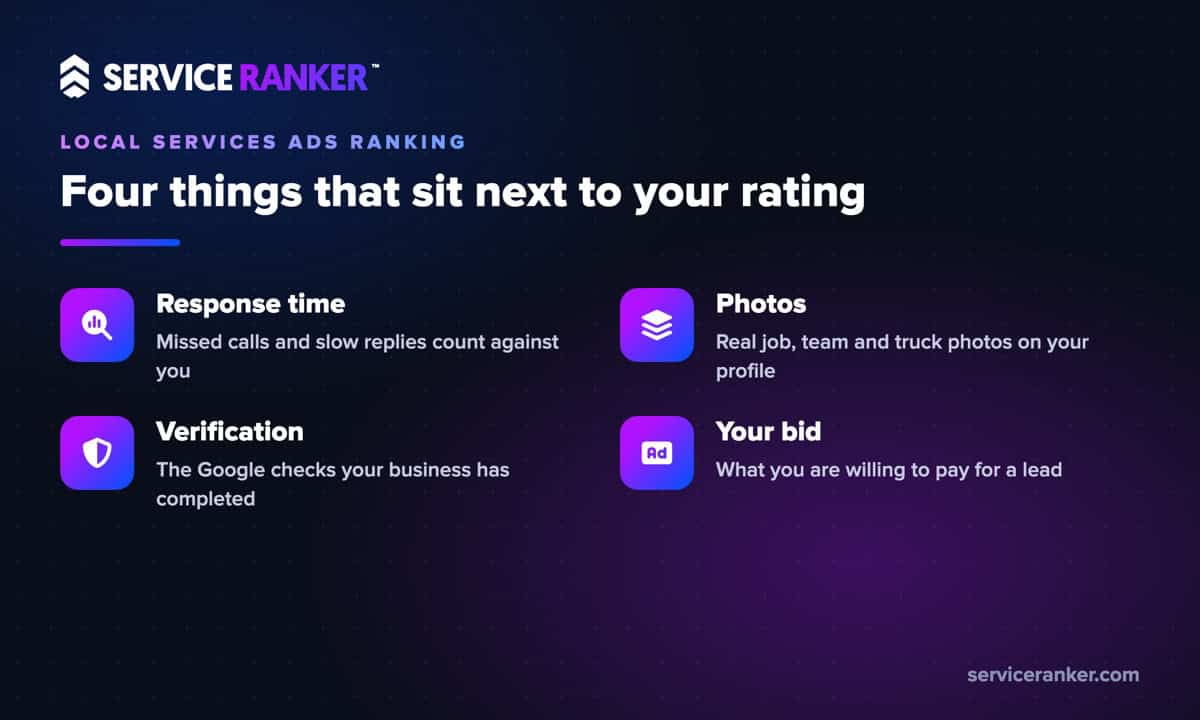
Outside of reviews, Google’s ranking page names four more inputs you can control: how fast you answer, the photos on your profile, the verification checks behind your Google Verified badge, and your bid.
In the Local Services Ads accounts Service Ranker manages, the shops that slip despite strong ratings usually have one of two problems. Calls ring out while the crew is working, or the profile looks thin next to the competitor’s. Both are fixable without a single new review. If you would rather have someone watch those numbers for you, here is how we manage Local Services Ads for home service companies.
How many reviews you need to show and to compete
There is a floor and there is a real target. The floor comes from Google, which recommends 5 or more reviews and says some business types need 5 reviews to show at all. Below that, your ad may not run.
That guidance has carried over as Local Services Ads move into Google Ads as Performance Max campaigns with pay-per-lead goals. Google’s best-practice page for those campaigns still points owners to 5 or more reviews on the Business Profile and consistent positive reviews with ratings above four stars. We explained what changes as Local Services Ads move into Google Ads in more detail.
The real target is your competition, not the minimum. Search your main service the way a homeowner would and look at the review counts and ratings on the ads that show. If the top three average 80 reviews, five gets you listed but not chosen. And because the same reviews sit on your Business Profile, every one you earn also helps you in the map results below the ads.
Ask every customer the same way, right after the job
Most owners do not have a review problem. They have an asking problem. The fix is a routine that runs after every job, not a push every few months when the count looks low.
Before you build it, know the rules, because some popular advice breaks them. Google’s content policy says businesses may not offer incentives for reviews, discourage negative reviews or selectively solicit positive reviews. It also says not to pressure customers to review on the spot or ask them to include specific content. So “only ask the happy ones” is out, and so is “mention our city and service in your review.” Ask everyone, the same way.
A routine that stays inside those lines looks like this:
- The tech asks in person at the end of every job, in one plain sentence, with no pressure to do it right there.
- The office texts the review link the same day. Google lets you share a direct link or a QR code that opens the review form.
- Everyone gets the same message, whether the job went perfectly or needed a callback.
- Someone checks new reviews weekly and replies to each one.
That last step matters more than most owners think.
Reply to every review, including the bad ones
Replying is how you show the next homeowner what it is like to deal with you. Google’s Business Profile help says that when you reply to reviews, you show customers you value their feedback. It also notes that honest, balanced reviews help people decide, and that a mix of positive and negative feedback often feels more trustworthy.
For good reviews, keep it short and specific. Thank them, mention the job, and use the tech’s first name if the customer did. For a bad review, slow down. Do not argue in public and do not share details about the customer. Acknowledge the problem, say what you will do or have done, and give a way to reach the owner directly. A calm reply to a one-star review can do more for you with the next reader than another five-star review would.
When a review breaks the rules, report it the right way
Some reviews should not be there at all: spam, a competitor posting about you, a review meant for a different business, or one full of profanity. You can report those from your Business Profile. Google’s help page is clear that only reviews that violate its policies are eligible for removal, and that you should not report a review just because you disagree with it.
After you flag a review, Google says evaluation typically takes several days, and you can check the status in its reviews management tool. If Google finds no violation and you still believe the review breaks policy, you get a one-time appeal. Use it on reviews that clearly cross the line, not on fair complaints you wish were not there.
Put it all together and the path up the Local Services Ads list is steady, not flashy: ask every customer, reply to every review, answer every call and keep your profile full. If you want a team watching your reviews, response times and leads every week, get help running your Local Services Ads. You run the jobs, we keep the calls coming.