
A driver stuck on the shoulder with a blown tire is not going to read your About page. Neither is a homeowner watching water spread across the kitchen floor. They want a phone number, and they want someone to pick up. That is the whole idea behind call-only ads: an ad where the only job is a tap that rings your phone.
Here is the short answer. Call-only ads beat a regular search ad when the searcher is on a phone, the job cannot wait, and someone answers every call. There is a catch, though. Google stopped letting advertisers create new call-only ads in February 2026, and the ones still running stop showing in February 2027. So the real question for an emergency trade is how to keep the call-first advantage once the format is gone. This post covers both.
What call-only ads actually do
A call-only ad is a Google search ad built to start a phone call instead of a website visit. Google’s help page says call ads can appear only on devices that make phone calls, so they reach mobile searchers only. When someone taps the call button, their phone’s dialer opens with your number ready to go. A link to your website is optional. Google only needs a verification page that shows your business phone number.
That design cuts out every step between the search and the call. No page to load, no menu to dig through, no hunting for the number at the bottom of the screen. For home service businesses where the call is the sale, fewer steps usually means more calls from the same ad spend.
The trade-off is everything the website would have done for you. A regular search ad sends people to a page with your reviews, photos, service area and prices or promises. A call-only ad asks them to trust you based on two headlines and a business name.
When call-only ads beat a regular search ad
Call-only ads beat a regular search ad when four things are true at the same time: the searcher is on a phone, the job cannot wait, someone answers every call, and the call itself is the sale. Emergency trades hit all four more often than most.
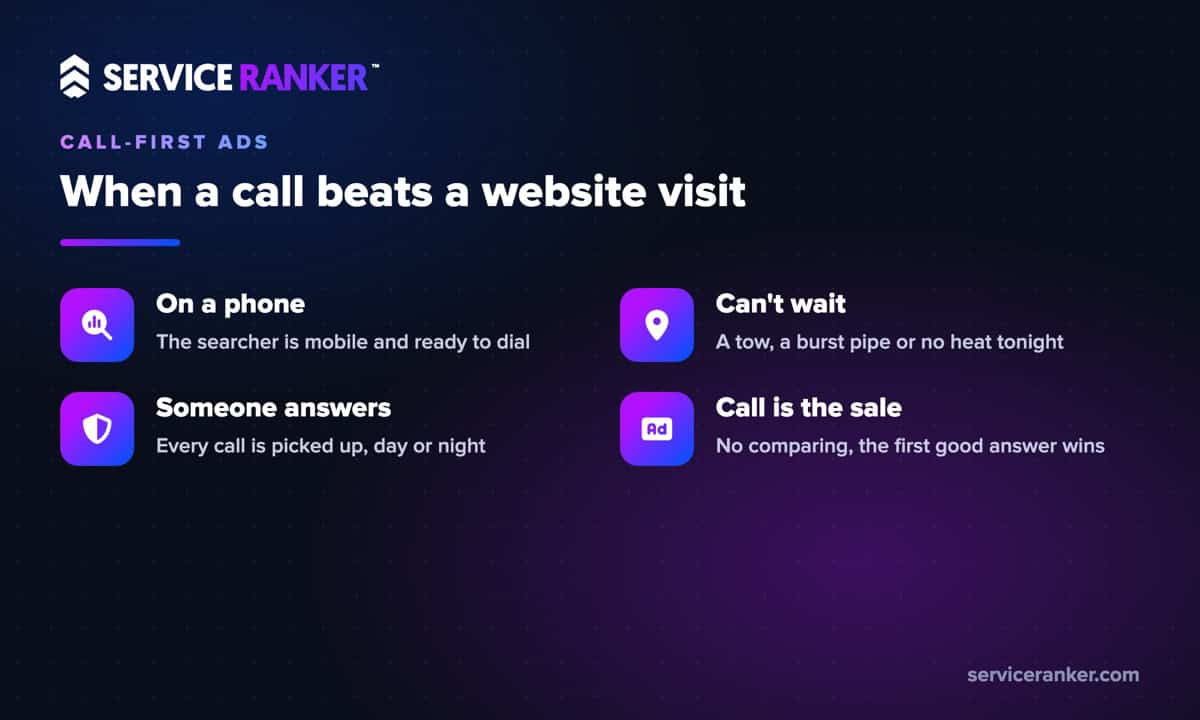
Think about who searches “tow truck near me” at 11pm, or “emergency plumber” with a burst pipe under the sink. They are standing somewhere, phone in hand, and they will call the first business that looks real and local. The format never won because of the ad itself. It won because it removed steps for someone in a hurry. We have seen the same pattern in our work with towing and plumbing companies, and it matches what we wrote about how emergency callers rarely shop around.
Flip any one of those four conditions and regular search ads usually win. A water heater replacement, a drain cleaning booked for next week, a pest control plan or a roof estimate are all jobs people compare. When a customer wants to look before calling, sending them to a page is the better bet. They read your reviews, see your trucks and call already half sold.
Where call-only ads lose money
Call-only ads lose money in three predictable ways, and all three come from the same thing that makes them work: every tap goes straight to your phone.
- Calls nobody answers. An ad that runs at 2am with no one on call buys a ring that goes to voicemail. In emergency accounts, this is the leak we find most often.
- Accidental taps and dead-end calls. A tap on a phone is easy to make by mistake, and some callers hang up after two seconds. Google’s call reporting lets you set a minimum call length before a call counts as a conversion, so short calls stop looking like leads.
- No chance to build trust. Without a page, the caller has almost no information about you. That is fine for a breakdown on the highway and a real problem for a bigger, pricier job.
These problems hide well. On a report they look like calls, but they never turn into work. If your numbers look busy but your trucks are not, read our breakdown of why ads get clicks but not calls before you change anything.
Google is retiring call-only ads in February 2027
Google is phasing call-only ads out of Google Ads in two steps. Since February 2026, there has been no way to create a new call-only ad. In February 2027, existing call-only ads stop receiving impressions entirely. Google’s transition guide says advertisers should move to responsive search ads with call assets to keep getting phone call leads.
If you never ran call-only ads, this changes nothing except the advice you read online. Older advertising guides still recommend a format you cannot build anymore. If your campaigns do have call-only ads running, they will keep working for now, but they are on a clock. Rebuild before the deadline, not the week of it. New ads need time to build a track record, and you do not want an emergency account going quiet during a cold snap.
Google’s own steps are short: add your business name to the account, add every phone number as a call asset, attach those assets to a responsive search ad, and remove the old call ad once the new one is approved and its performance holds up.
How call assets keep the call-first advantage
Call assets add your phone number to a regular search ad, and they keep most of what made call-only ads useful. Per Google’s call assets guide, phones get a call button right under the ad, and desktop searchers get a “Call us” button that shows your number with a QR code they can scan to dial. You can also schedule the number to show only during the hours someone answers.
Two things are different, and both matter. A tap on the call button costs the same as a tap on the headline, and the headline now leads to your website. And Google says adding an asset will not guarantee it shows with your ad every time. Some urgent searchers will land on your page instead of dialing, so the page has to do the dialing for them.
That means a landing page with your phone number as the first and biggest thing on the screen, a one-line promise like “24/7 towing in your area,” and almost nothing else above the fold. This is the kind of setup we put in place as part of Google Ads management built around phone calls: the ad, the call asset and the page all pointing at the same tap.
Setting up your ads for a 2am emergency call
For an emergency plumber, tow company or HVAC company covering no-heat calls, a call-first search campaign comes down to five settings. Most of them take minutes, and each one closes a leak we see in real accounts:
- Business name and every number as a call asset. Use the same business name and phone number your customers see on your Google Business Profile.
- A schedule that matches who answers. Run the number around the clock only if a person picks up around the clock. Otherwise, schedule it to your real on-call hours.
- Call reporting with a minimum call length. Google forwarding numbers let you see which calls came from ads and how long they lasted.
- A call-first landing page. Tap-to-call number at the top, your service area, and proof you are local.
- Closed jobs sent back to Google. Google lets you import call conversions from your own records, so it learns which calls became paying work, not just which ones rang.
That last one is where most owners stop short. If you use automated bidding without it, Google optimizes for any call that lasts long enough, including the price shoppers and the wrong numbers. With it, the ads start chasing the calls your team actually closes.
How to tell your call ads are working
Your call ads are working when answered, real-length calls from search keep turning into jobs at a cost you are comfortable with. Clicks and impressions do not tell you that. Check three numbers every week: calls from ads that met your minimum length, how many of those your team answered, and how many became paying work.
If the first number is healthy and the last one is not, the problem is usually the schedule, the answering or the type of calls the keywords bring in, not the ad format. Fix those before you spend more.
Call-only ads had a good run for emergency trades, and the idea behind them still holds: make it as easy as possible for someone in a hurry to reach you. If you want help rebuilding that setup before February 2027, talk to us about running your Google Ads. You run the jobs, we keep the calls coming.